
Welcome to Don & Donya Digital
We create done-for-you digital products you can rebrand and resell as your own (no creation hassle!), plus all the tools, templates, and resources you need to launch and grow your digital business with confidence. Ready to start? Browse our shop and let’s build your empire together!
Welcome to Don & Donya Digital
We create done-for-you digital products you can rebrand and resell as your own (no creation hassle!), plus all the tools, templates, and resources you need to launch and grow your digital business with confidence. Ready to start? Browse our shop and let’s build your empire together!
Digital Products
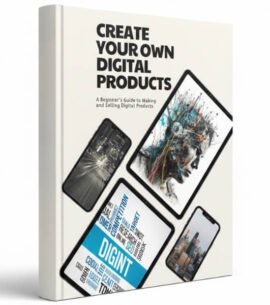
Create Your Own Digital Products

Etsy Product Mock-Ups

Faceless Social Media Marketing


How to Successfully Sell Online via Stan.Store

Here's How to Find Profitable Niches

How to Use Pinterest to Make Passive Income Online
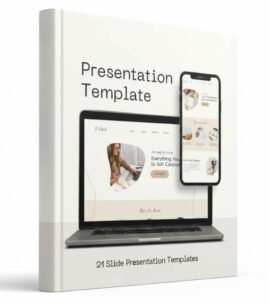

The All-In-One Faceless Marketing Starter Kit

Social Media Ad Templates

The Best Selling Canva Ebook Template

Digital Products
Create Your Own Digital Products
Etsy Product Mock-Ups
Faceless Social Media Marketing
How to Successfully Sell Online via Stan.Store
Here's How to Find Profitable Niches
How to Use Pinterest to Make Passive Income Online
The All-In-One Faceless Marketing Starter Kit
Social Media Ad Templates
The Best Selling Canva Ebook Template
THE ULTIMATE DIGITAL CREATOR BUNDLE
12 PRODUCTS IN 1 MEGA PACK
EBOOK, TEMPLATES & MOCKUPS


HOW TO USE
Accessing the Digital Products
After purchasing, simply click the purple “View Template” button to add each product to your Canva account. The template will then open in your account, allowing you to edit, customize, and share it with your own customers.

HOW TO SHARE
Here’s how you can share your Canva source files with your own customers
Important: You are not allowed to share our (Don&Donya Digital) original template links with your customers. You must create your own template links by following the steps below.
Click the “Share” button located in the top right corner of your screen (#1 in the image below). Then select the option to create your own template share link.

Then, click the “Create template link” button and share your new link with your customers so they can add the product to their own Canva accounts.
You only need to complete this process once per product. After your new template link is created, you can use that same link for all of your customers.

A few words from
Our Customers
I’ve bookmarked Don & Donya Digital as my go-to for digital growth tips and content. Super helpful and well explained. I’ve purchased the bundle and it helped me grow my online presence faster than I expected.
Fantastic resource for marketing. Simple steps that really work.
Every article is packed with value and helpful for anyone building their social media presence.
Thank you Don & Donya Digital for breaking down this guide in a way that makes sense!
I’ve implemented these templates and already see better engagement.
Great explanations, practical examples, and clear steps.
The digital product ideas and insights helped me successfully launch my first online Faceless Marketing.
Very informative and inspiring! This e-book helped me grow more confident in my digital business.
If you want real, easy-to-use advice on how to use Canva, this article is a must-read!
I really appreciate the actionable ideas. They’re straightforward and effective 💯
I improved my content strategy and engagement rate just by applying these templates.
I like this product! Perfect for my business!